'StretchBreak' App

An app for desk-bound workers experiencing physical strain.
Team
Tenzin Woser (Solo)
Role
UX Designer
& Researcher
Tools
Figma, Miro
Timeline
March 2021 - April 2021
(4 weeks)
I developed this design as a capstone project in an online course for the University of Michigan.
Bite-sized, Personalized Stretches
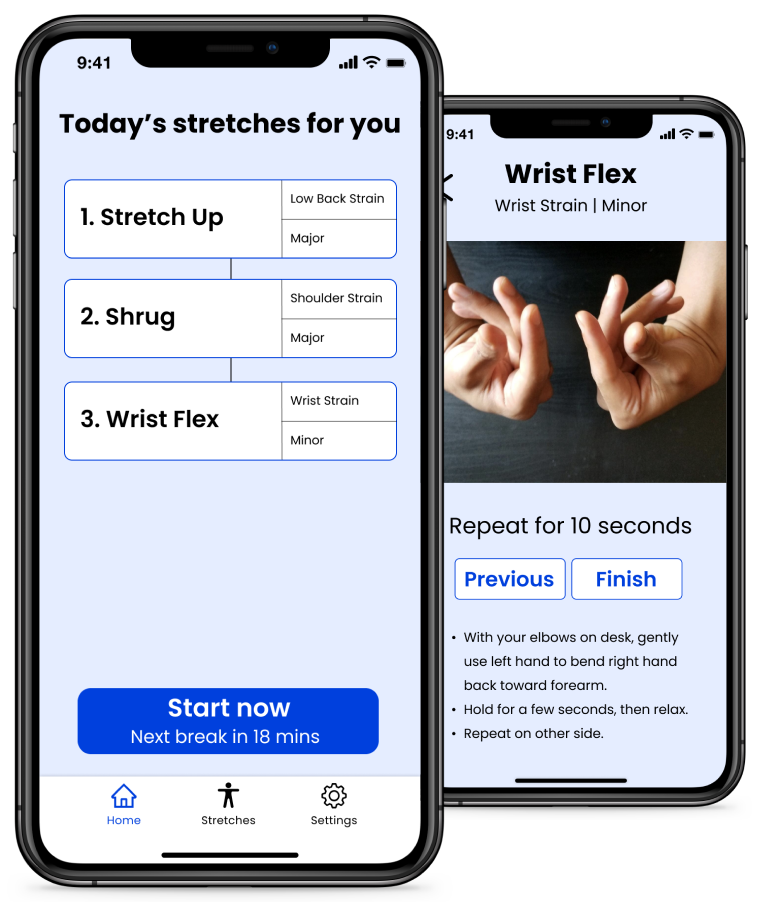
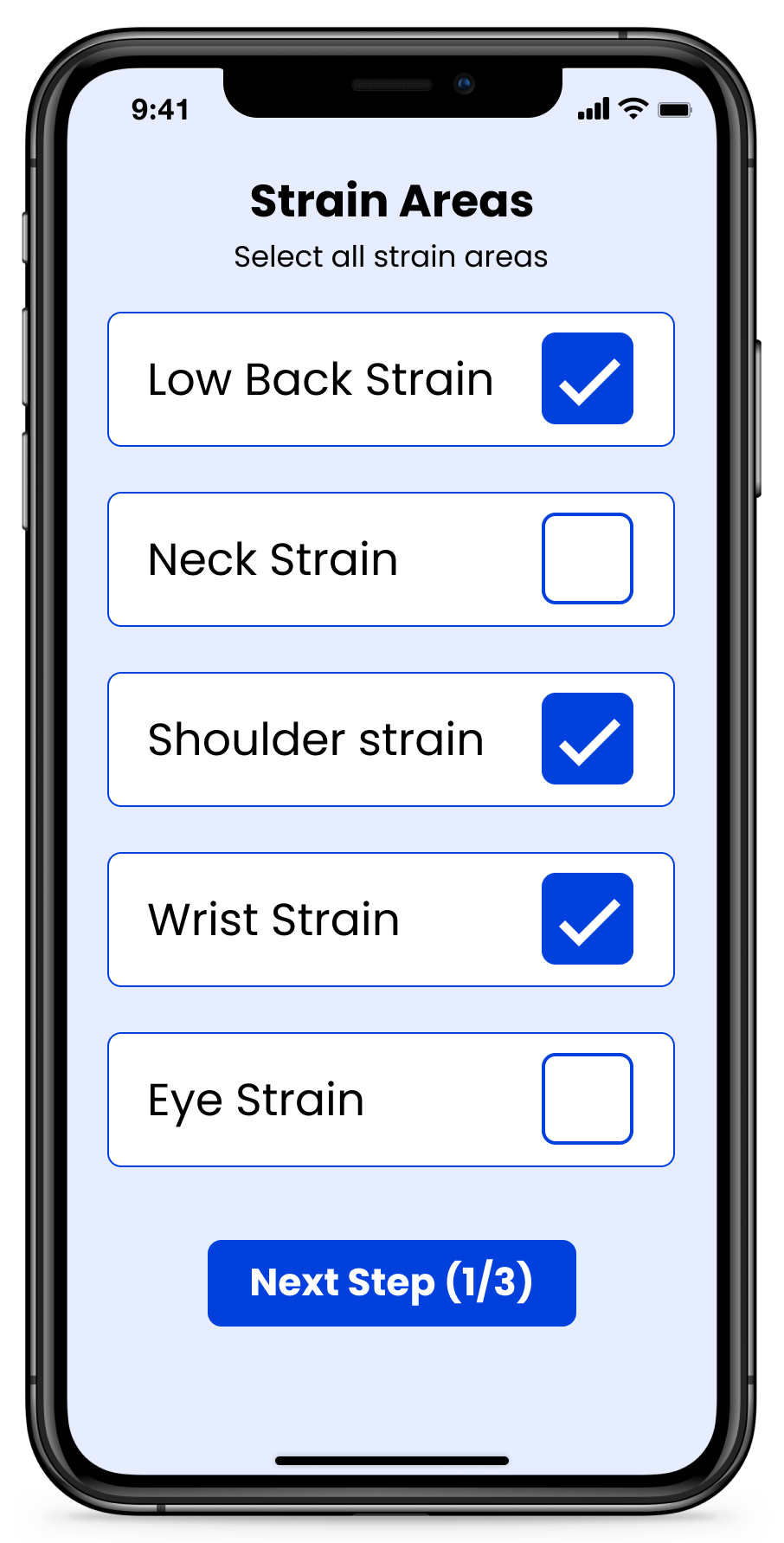
Users input the area and level of strain they are experiencing to get personalized stretches from the app.
Stretch Guides
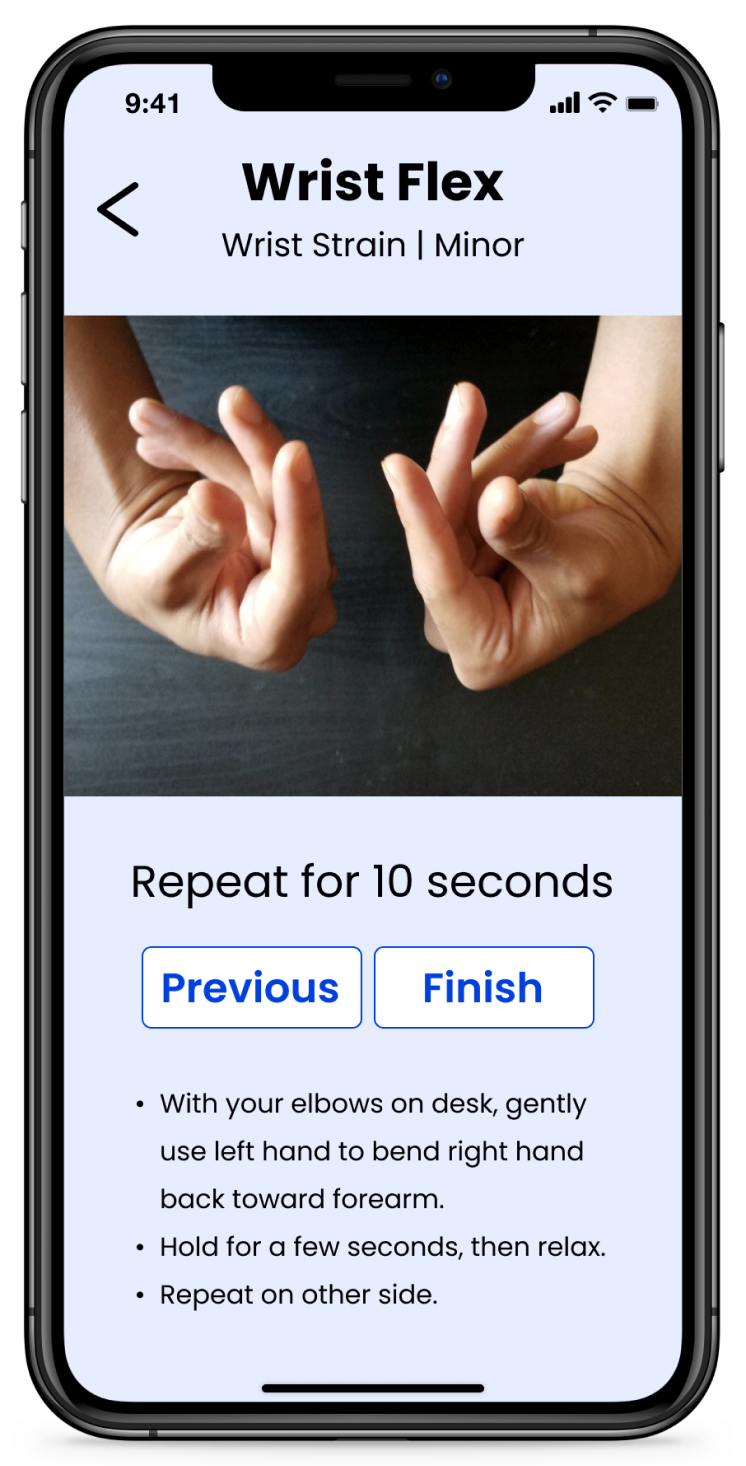
Users can be guided through stretch breaks with videos and instructions for each stretch.
Curated Stretch Library
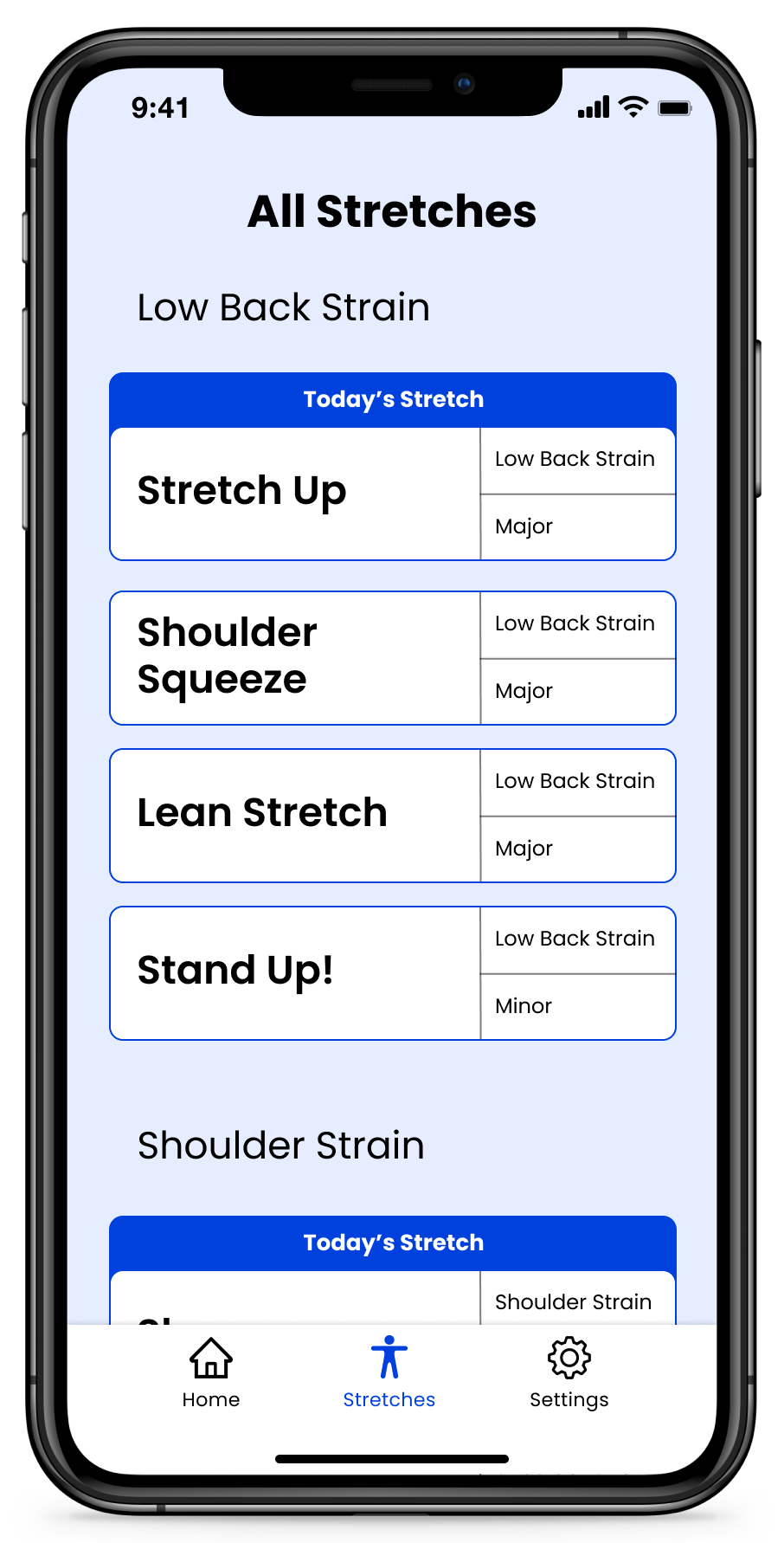
Users are able to navigate a library of stretches for identified areas and levels of strain.

Understanding How and Why People Stretch

Literature Review

I began with understanding how people should be appropriately stretching their bodies, how people engage with stretching apps, and who experiences this strain most frequently. To do so, I delved into Google Scholar and journals of kinesiology.
Finding 1:
The target population is 40-60 year old's who work full-time at computers or sit for prolonged periods of time(+3 hours).
Finding 2:
Short breaks every hour to stand and change stance are a proven way of alleviating many of the strains that accompany desk-bound strain.
Finding 3:
The most common strains that are experienced are back, eye, neck, shoulder, and wrist strain.

Competitive Analysis

I then got a better understanding of best practices and opportunities in the market. To do so, I looked into 8 different applications that solved similar problems and dissected their design decisions.
Finding 1:
Most apps only provide guidance to relieve one of the common desk-bound strains.
Finding 2:
Videos or images often accompany guides for stretching.
Finding 3:
These apps tend to have very literal names - ‘Text Neck’, ‘Eye Saver’, ‘Relief for Neck Pain’, ‘Work&Rest’, etc.

Interviews

Getting a first-person perspective on desk-bound strain

I then conducted 1-hour remote video interviews with 5 users from the target population to confirm my findings and understand how users interact with their desk-bound strain.

Understanding the Interviews

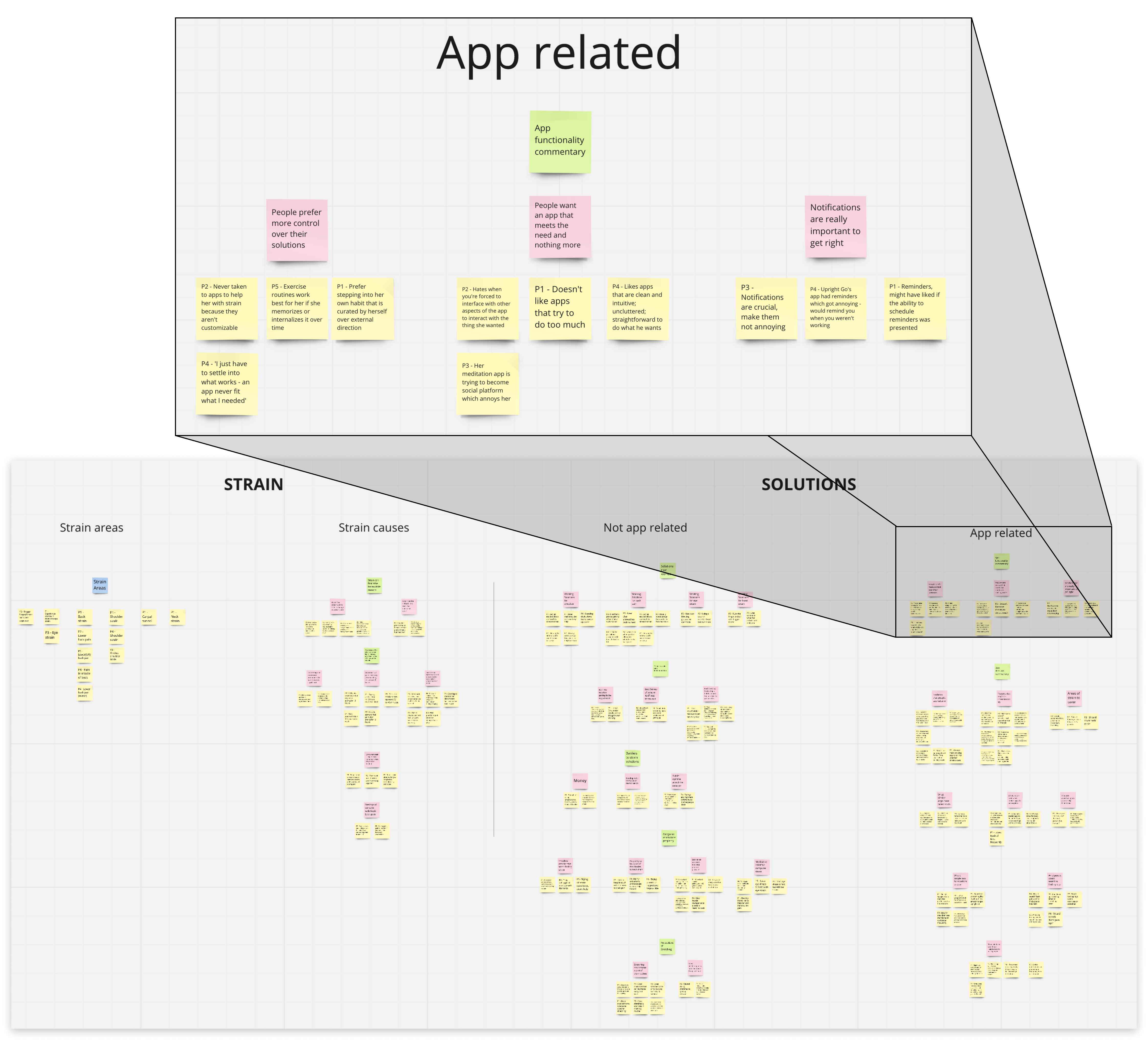
To understand my findings from the interviews, I analyzed each interview and put together an affinity wall making sure to group ideas that were common and significant.
Affinity wall made from analyses of the user interviews
Finding 1:
People tend to experience more than one strain when experiencing desk-bound strain.
Finding 2:
If notifications are involved, users want complete control over how they appear.
Finding 3:
Since the target population is quite busy, stretches during the workday need to be short and sweet.

Turning Research into Design Solutions

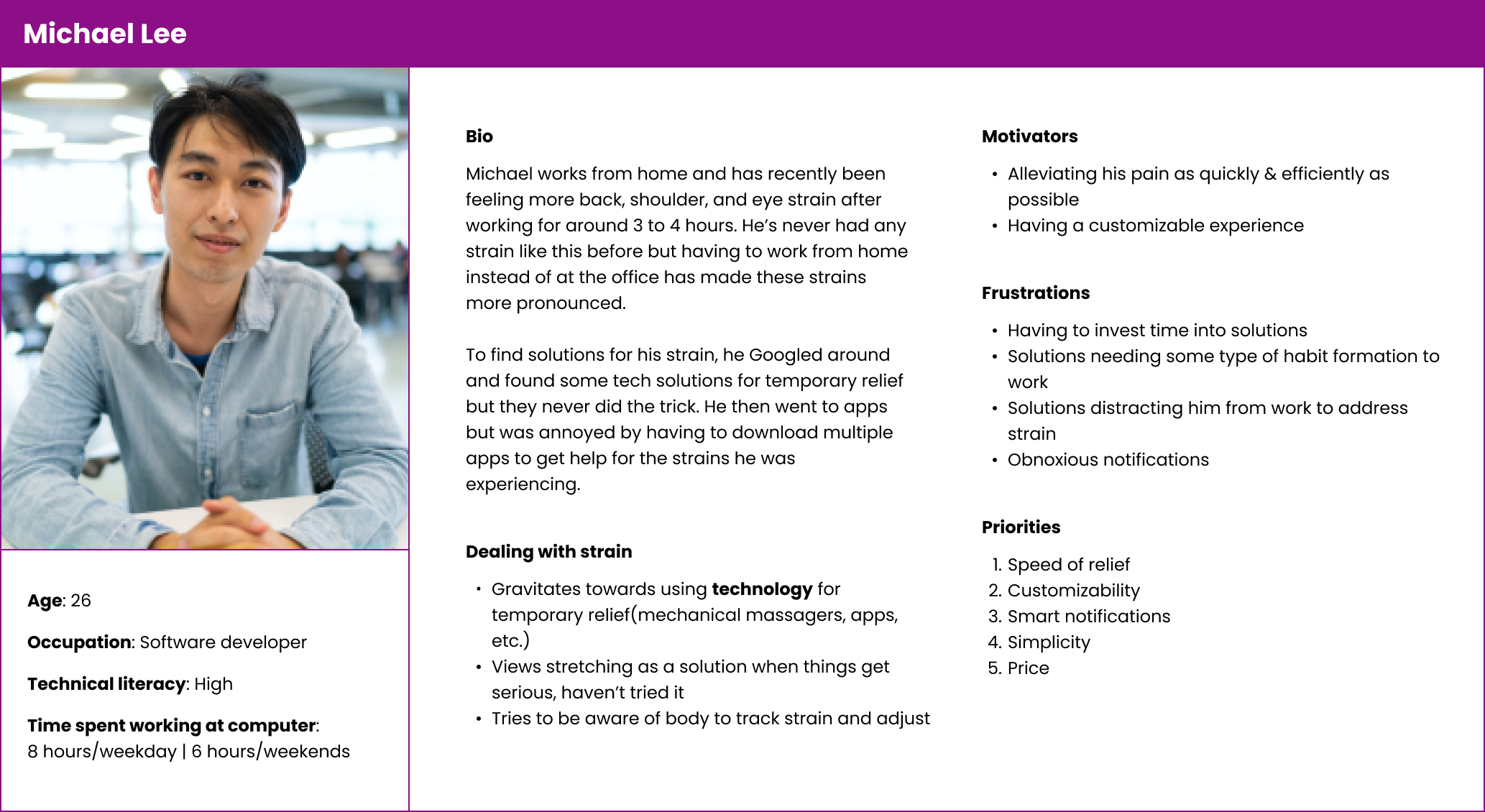
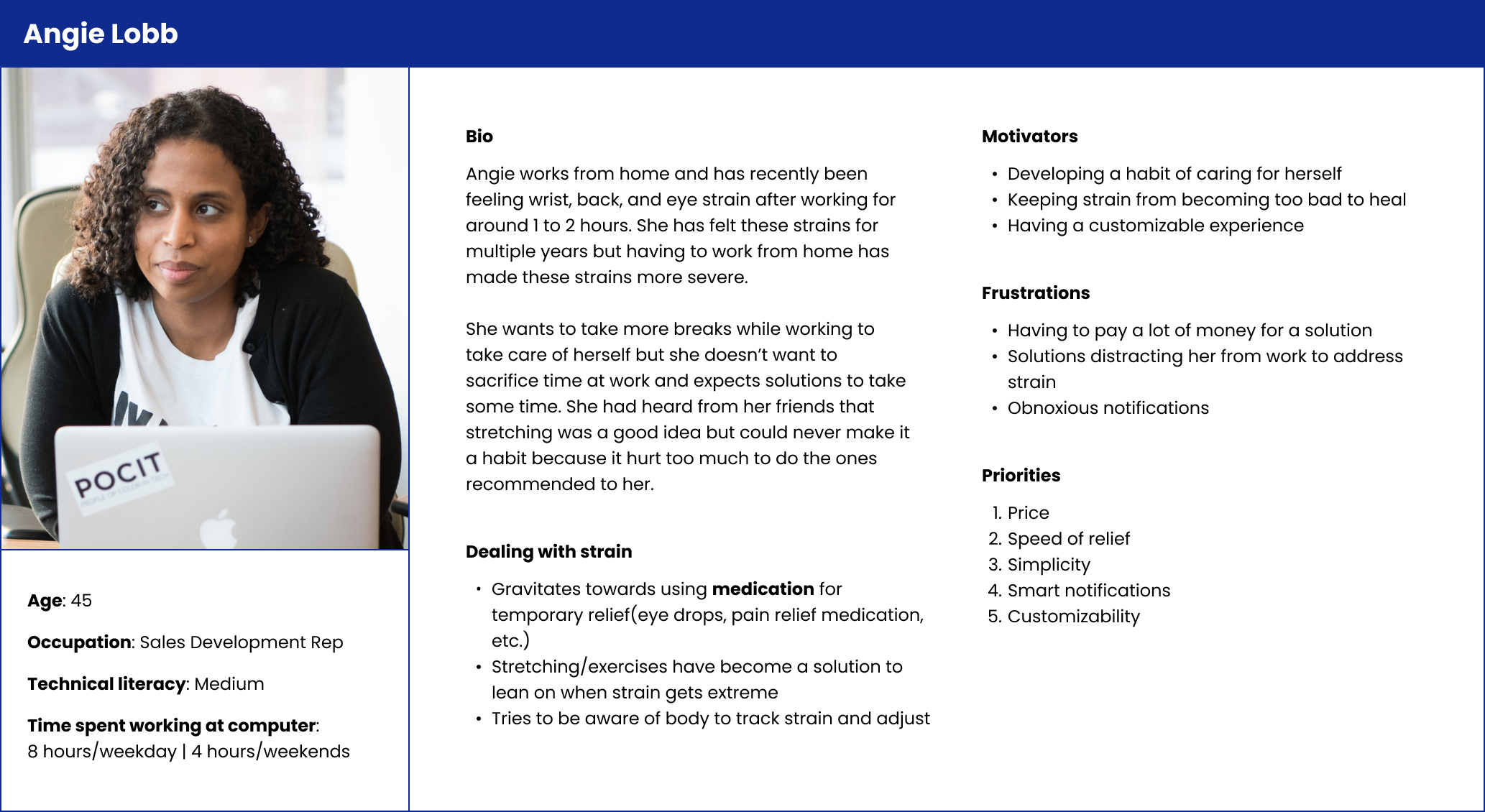
User Personas

To ground my design solutions in the research I had conducted up to this point, I created two user personas.

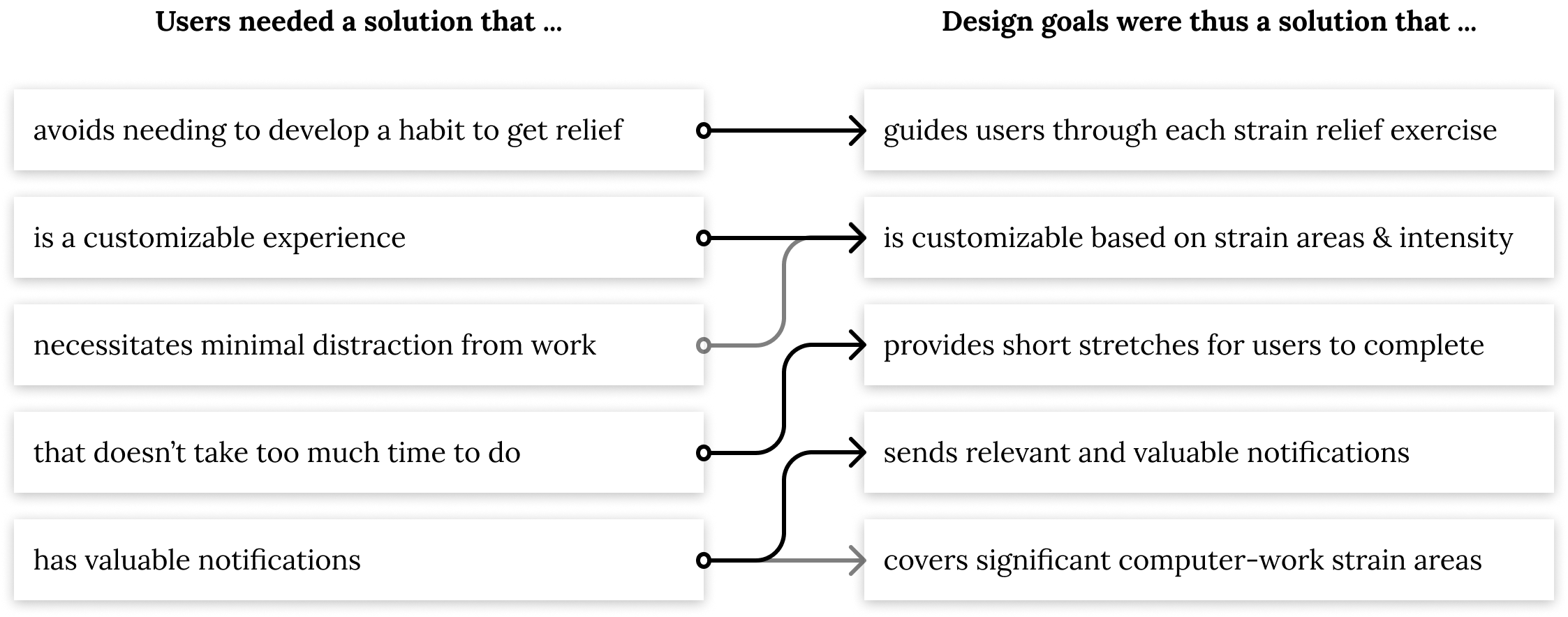
User Needs Analysis & Design Goals

I devised design goals inspired by the most significant needs that people identified.

Sketching

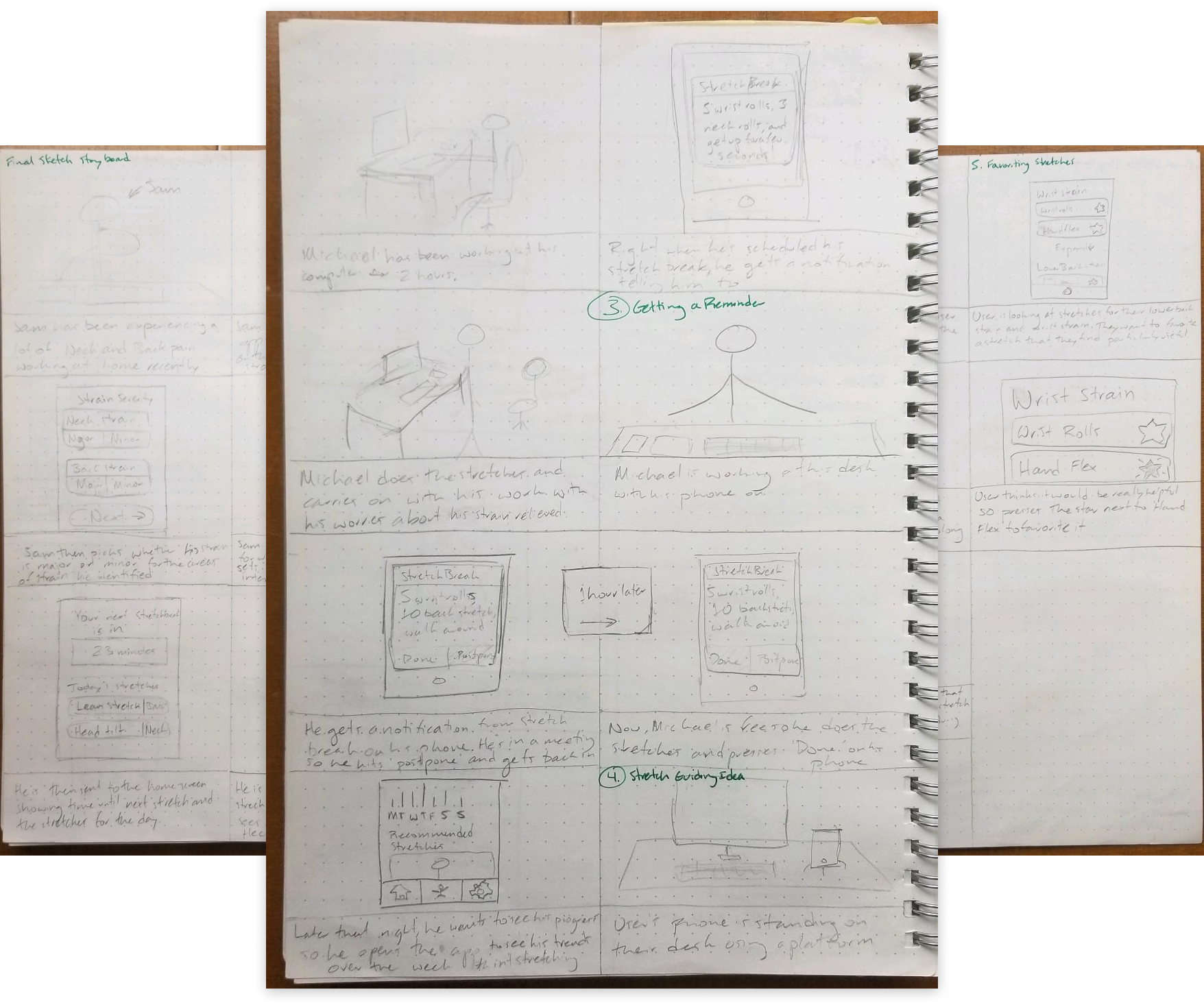
Using the design goals, I began ideating the type of app that could meet the users' needs. I sketched scenarios where personas encountered desk-bound strains during the day who then used an app to solve their troubles.
After creating 20 potential app solutions, I landed on an idea that I felt was the closest to meeting every design goal.

Wireframes

Lo-fi Wireframes

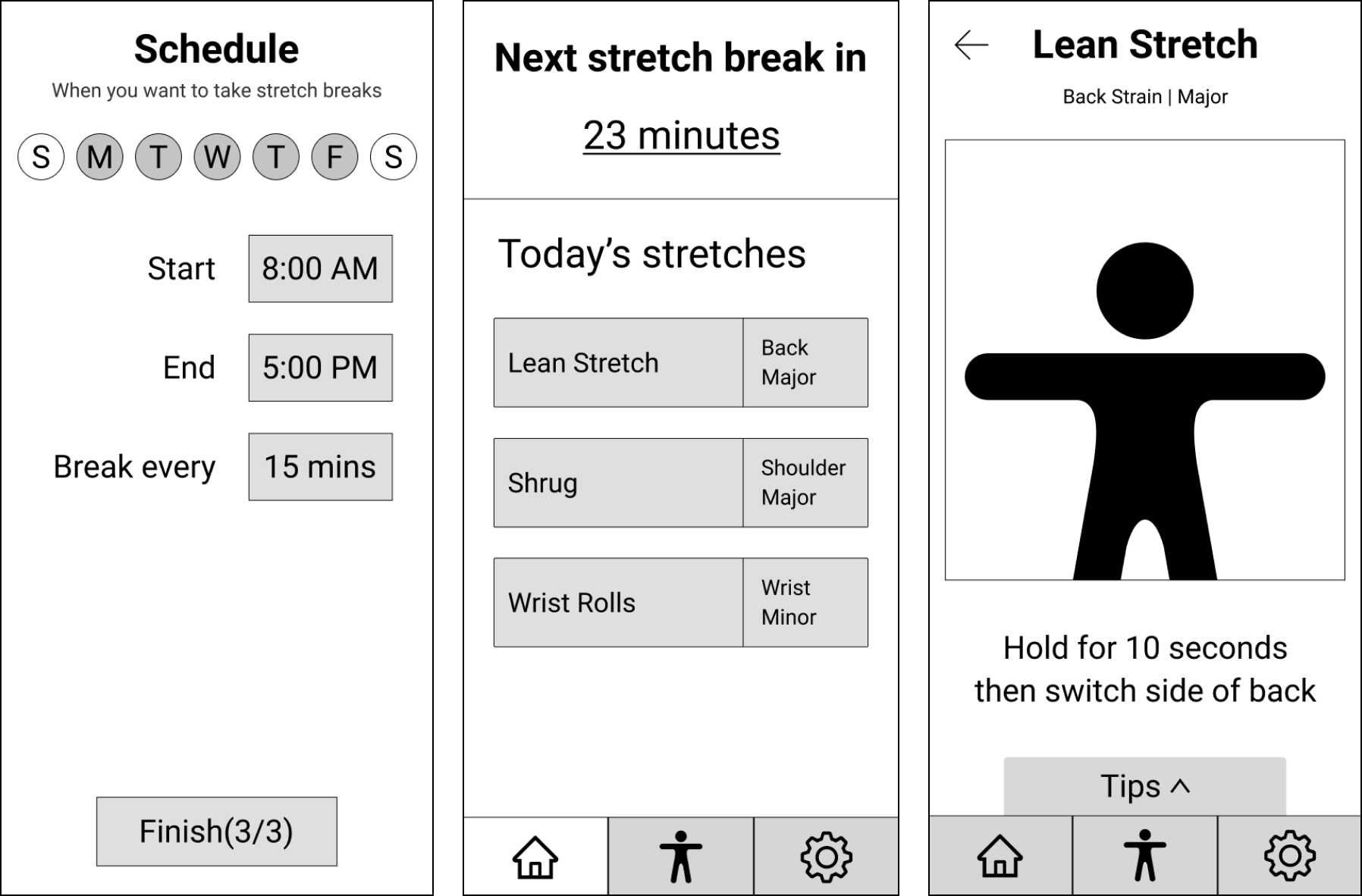
Guided by the sketches, I created lo-fi wireframes of each in Figma to capture the structural elements the app.
Setting up the schedule(left), home screen after set-up(center), and stretch guide view(right).

Micro-usability Testing

Utilizing the lo-fi wireframes, I created three conceptual prototypes and reached out to my target population to gather their opinions.

For the test, I had users complete three core functions that the app would provide.

Iterating into Hi-fi Wireframes

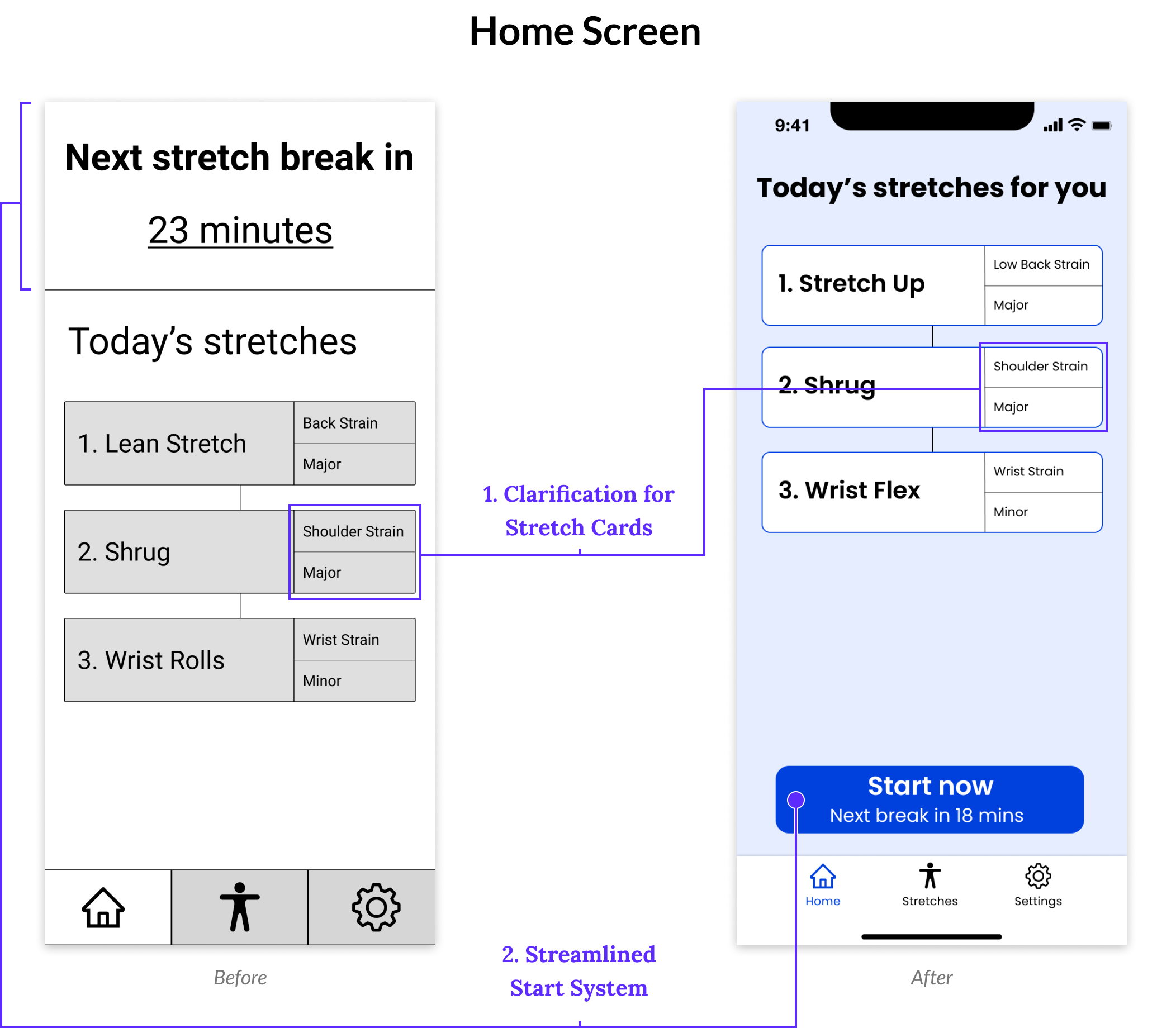
With the findings from the Micro-Usability Test, I made the following changes to the structure and aesthetic of the lo-fi wireframes.
1. Clarification for Stretch Cards - The words on the right side of the stretch cards did not clearly indicate how they related to the stretches. The new display clearly indicated that the top section related to the strain area and the bottom section related to the strain intensity.

2. Streamlined Start System - Moved the start section and merged it with a new button labeled ‘Start Now’ allowing users to begin a stretch break session. Users could now easily understand how much time is left until their next stretch and how to start their stretch in the same area.
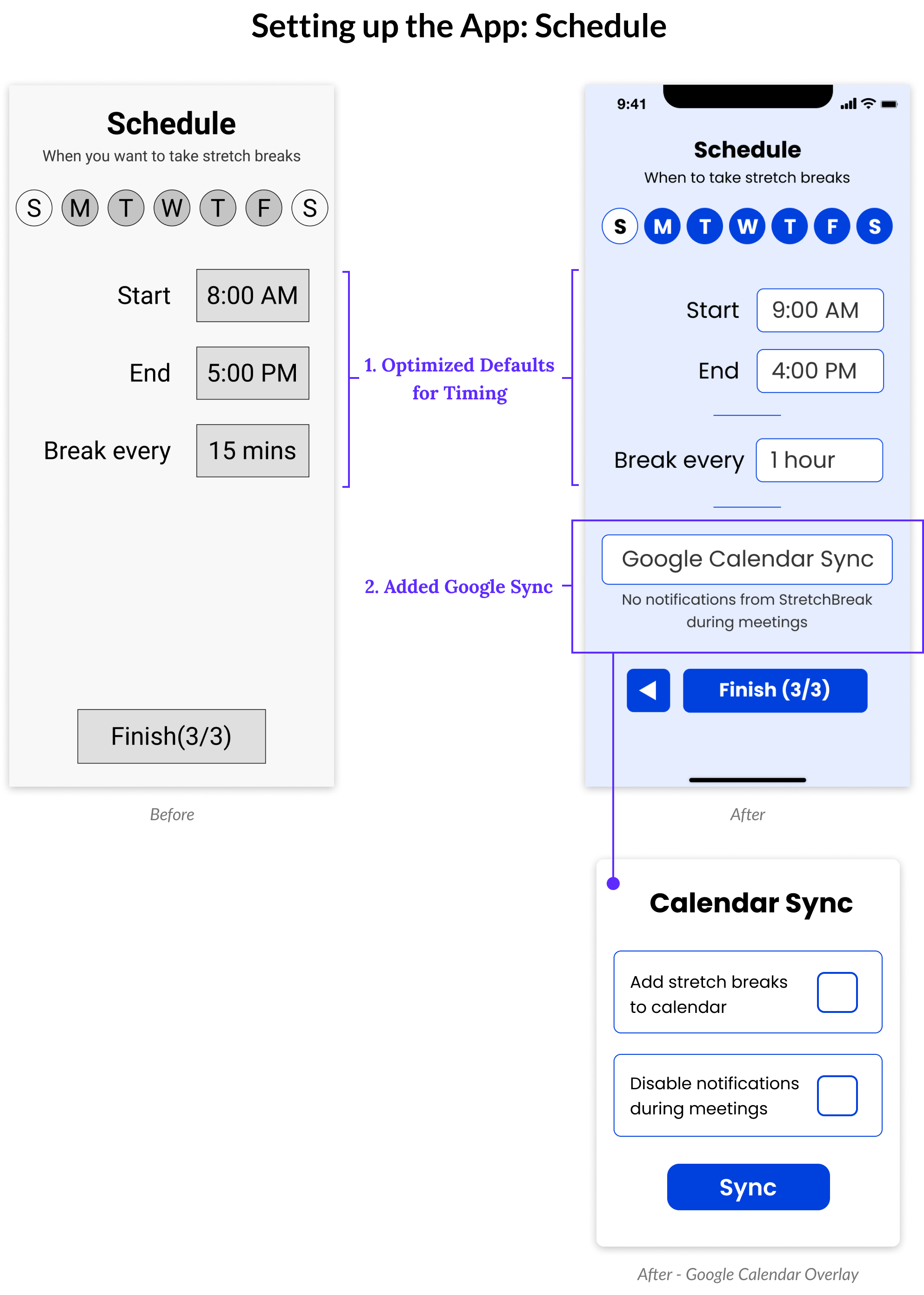
1. Optimized Defaults for Timing - Every time users encountered the 'Before' defaults, they changed the settings to what you see on the 'After' screen. I decided to change the defaults to save users' time in the set-up process.

2. Added Google Sync - Using Google Calendar Sync, users could either add their stretch breaks to their calendar and/or mute notifications during 'busy' sections of the day. This provided users modern conveniences in an easy to digest manner
Added an Onboarding System - Since many users were not familiar with apps like this, adding onboarding frames served to orient users and their expectations of the app’s functionality.

Final Testing

Prototype

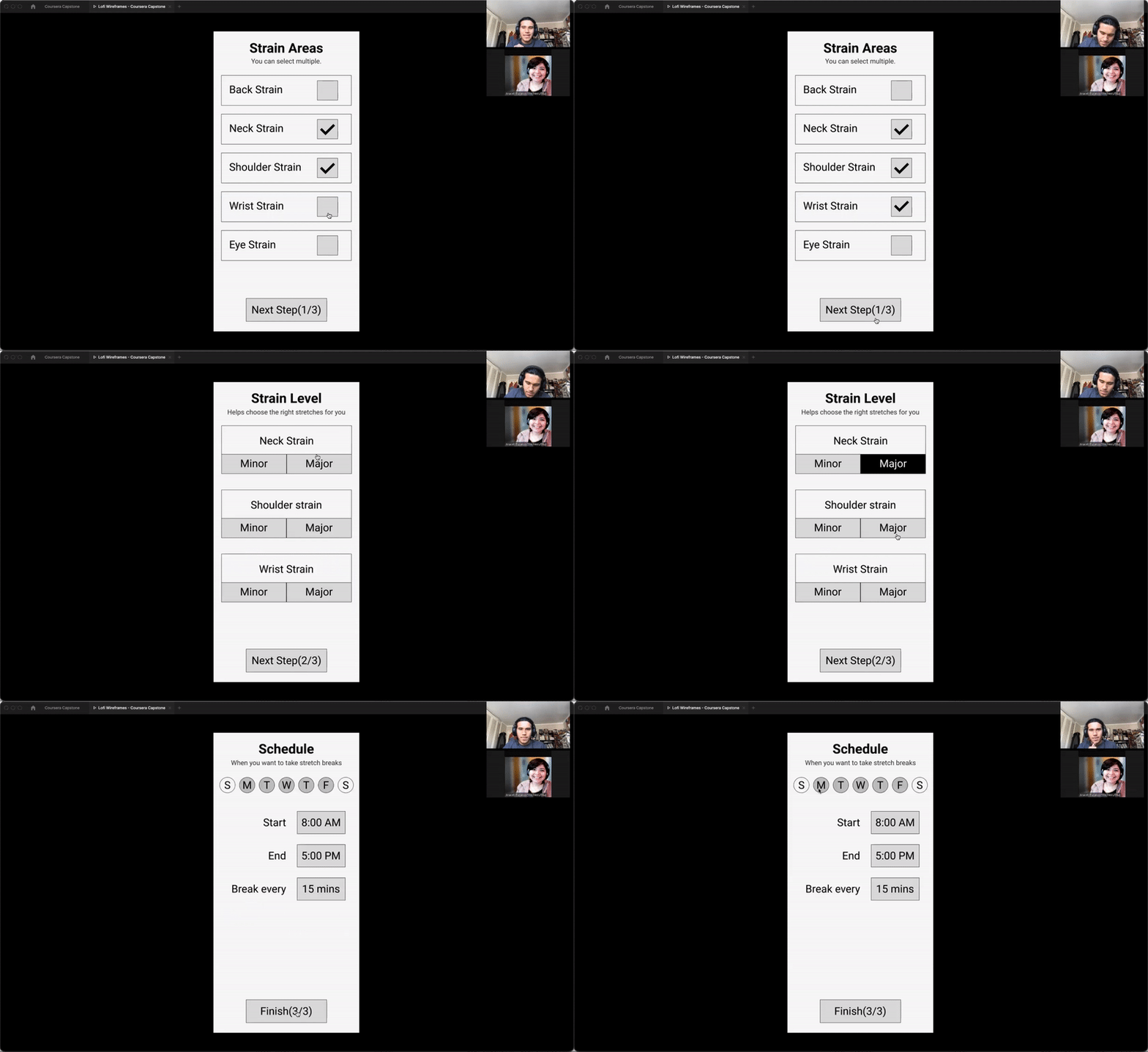
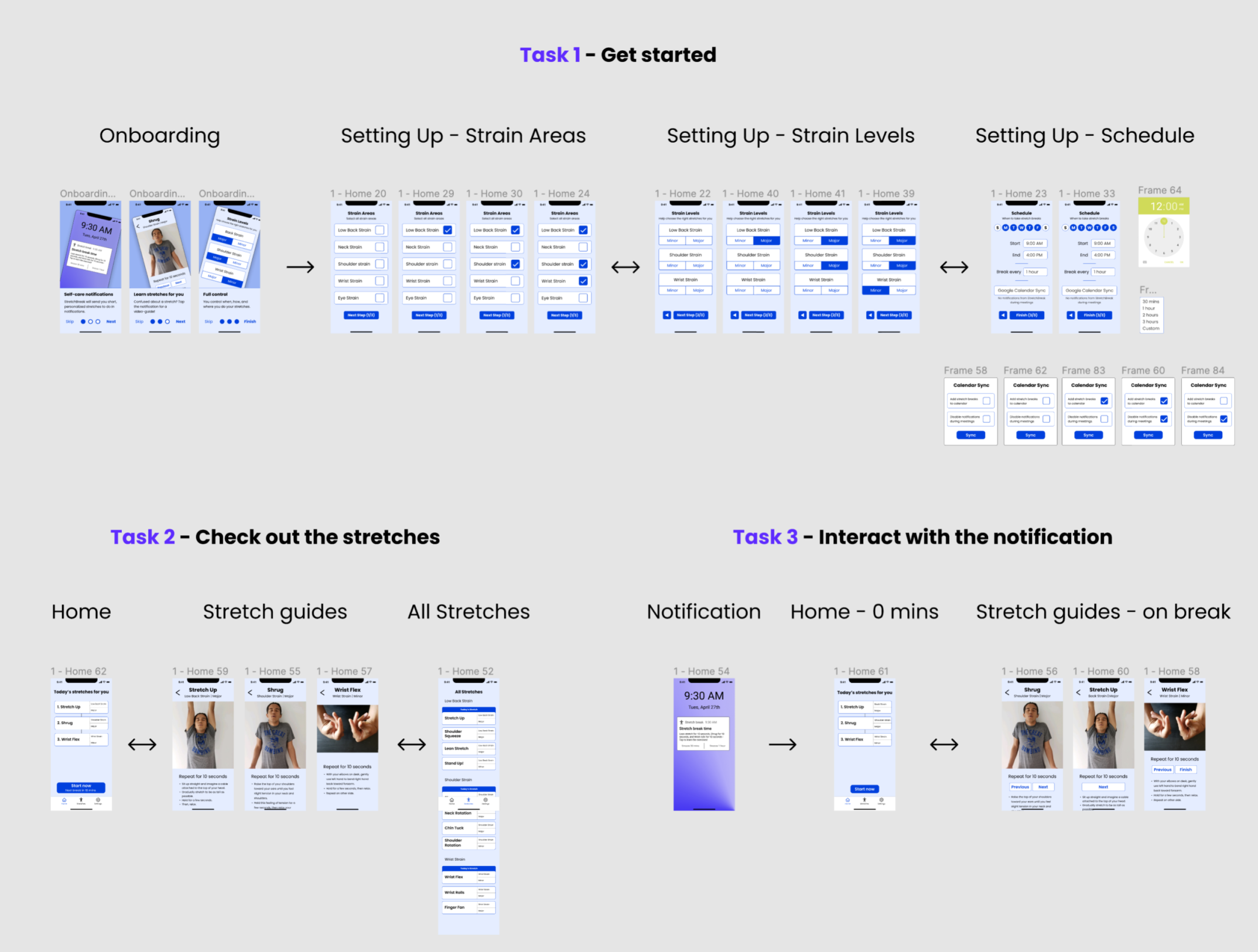
Using the hi-fi screens, I created a prototype to test the final concept of the app. The tasks I chose to fully prototype were elements that constructed the way that users interacted with the app.
Figma screens making up the three tasks users navigated through

Usability Testing

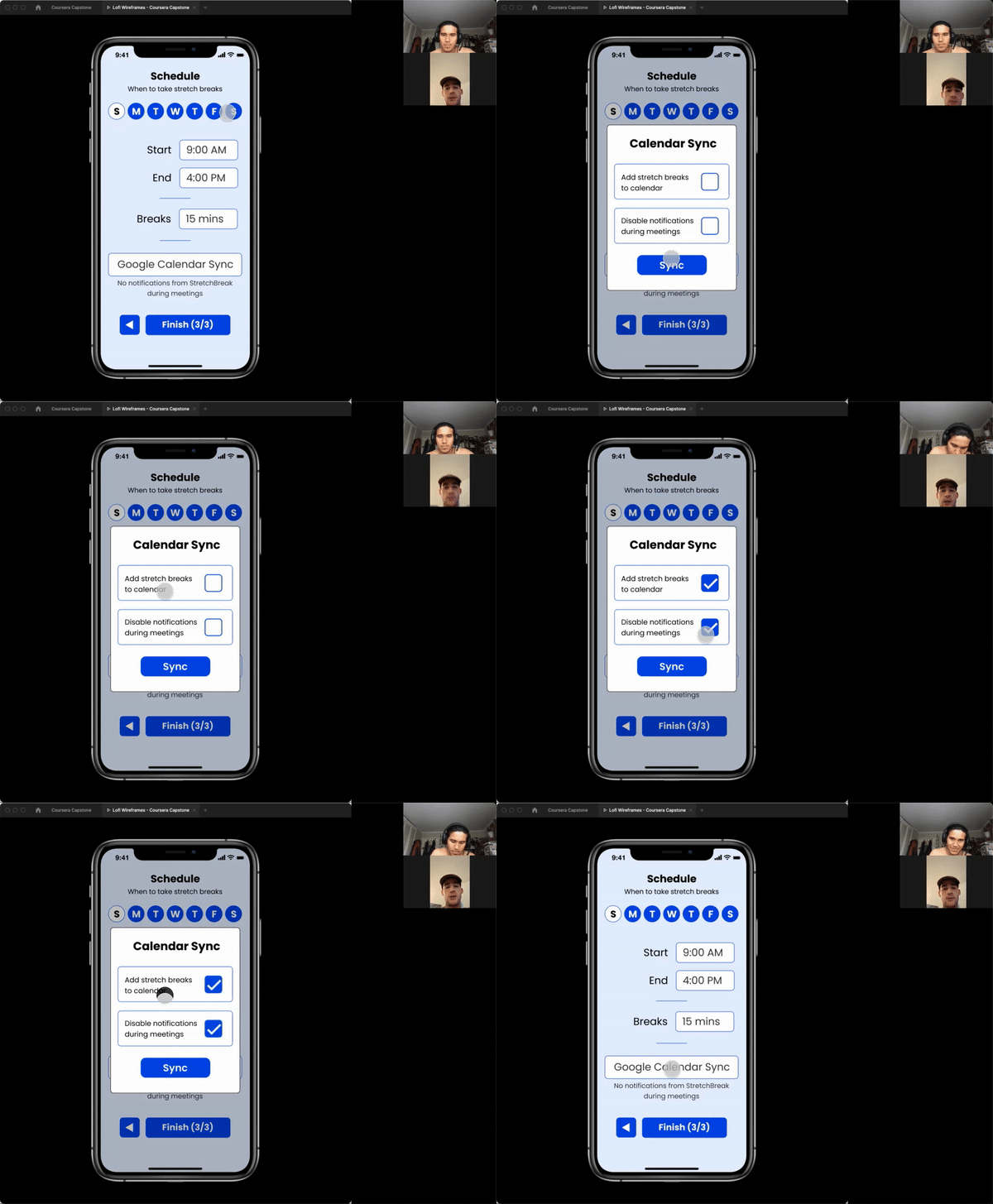
With a fully functional prototype ready, I conducted virtual think-out-loud usability testing with my target population using Zoom and Figma's prototype functionality.
Findings from this series of usability tests showed that the user population found the app useful. I also accrued design improvements but I could not pursue them due to time constraints.

Reflection

Key Learnings

Feature Creep

Pursuing ideas irrelevant to the Minimum Viable Product- more often than not - wastes time for both designers and end-users. Designers should continually check whether the feature or product is serving to accomplish a design goal or not.

It's Never too Early to Test Ideas

Healthy communication with users in my target population during the ideation phase saved me time, grounded my empathy for users, and kept my designs on track. If I had a small frame or function I wanted feedback on, I sent the idea over to one or multiple users. While frequent testing isn't always possible with people in the target population, I believe this highlights the value of assessing designs internally.